

FAQ
Do you ask yourself, Why is my computer slow??
When your computer slows down, it affects productivity and efficiency. Use the steps below to diagnose and fix common causes of performance issues. Westech can help you optimise business IT systems.
- Restart your PC if it hasn’t been restarted recently.
- Check Task Manager for high CPU, RAM, or Disk usage.
- Delete temporary files (%Temp%).
- Uninstall unused applications.
- Consider upgrading to an SSD and adding more RAM.
Find out more about how to speed up your computer in our blog here.
If you find yourself repeatedly asking the question, Why is my computer so slow? now you know why and what to do, contact Westech for IT support.
If Your Computer is not older than 5 years it would be a good option to upgrade instead of buying a new computer.
Note as well other factors go into consideration for this.
-Is the computer hardware in a Healthy state.
-Is the slow issue related to hardware or corruptions in Windows if so then first try and reload the computer before checking to see if a upgrade is needed.
Find out more pointers to help you make the right decision in this help article here.
It is essential to be prepared and plan for the worst situation. If you run your office from home, what equipment do you have in place to power your devices, router, computer, monitor, printers etc whilst you have several hours of load shedding effecting your productivity.
Find out how to get your home office setup for load shedding in this help article here.
First, you need to set up a Virtual Private Network (VPN) at your home. A VPN will route all your internet activity through an encrypted connection and provide an extra layer of privacy and security. A VPN can also securely connect your laptop to your office network over the internet.
There are many VPN service providers on the internet, some more reputable than others. Once you have selected a VPN provider, simply download their software to your computer or another device, and follow the online instructions.
Contact Westech for assistance with setting up a VPN.
If you are struggling to open Outlook or it keeps crashing, the following steps may help you resolve the issue. For ongoing issues, contact Westech for professional IT support tailored to your business.
- Open Outlook in Safe Mode (Windows + R → outlook.exe /safe).
- Disable add-ins one by one to find the faulty one.
- Repair Microsoft 365 via Control Panel → Programs & Features.
- If still not working, create a new Outlook profile.
A Solid State Drive (SSD) is a great way to improve your computer’s performance by improving the speed at which software loads and manipulates data. If you know what you are doing, it isn’t difficult to install an SSD.
All you will need is the SSD and a screwdriver but remember first to make full backups or clone your drive and copy the data over to the new one – including your Operating System. It is a relatively quick process but does require some technical knowledge.
Contact Westech for a quick quote or help from an IT professional.
When moving your data from your local servers to the Cloud, it’s understandable that you may be a bit apprehensive. However, for this data migration to the Cloud, you must first identify what data and applications you are currently using on your servers.
Westech can assist you in establishing which applications you use have Cloud platforms hosted by the software developer. If there are no developer platforms, a hosted virtual server will be needed to install the applications.
You will then need to calculate the volume of data that needs to be uploaded to confirm if there will be sufficient space. The next step is to build a permission list for the data that you require Westech to upload for you. Westech will then work together with you to schedule the project plan in phases as the data and applications are moved to the Cloud.
Ask Westech to source and quote a solution for you.
When choosing an ISP, fast speed and reasonable pricing should be your primary concern, but it will also depend on which ISP providers are available in your area. To establish this, you can check https://www.findmyfibre.co.za/ to see which ISP providers service your area.
It is preferably to choose a well-known ISP provider such as Liquid Telecoms or Afrihost that can provide you with excellent customer support and after-hours service. Also, check what additional installation or equipment costs there may be as well as any data capping that may apply to your selected package.
OneDrive is a Microsoft online Cloud storage software service that is included with Office 365. It allows you to store and synchronise all your data to its Cloud drive to provide you with your latest data across all your devices with access from anywhere with an Internet connection.
OneDrive is a file hosting service and synchronization service operated by Microsoft as part of its suite of Office Online services. It allows users to store files and personal data, such as Windows settings or BitLocker recovery keys, in the cloud, synchronize files across devices, and share files with others. OneDrive is integrated with Microsoft Office, enabling users to collaborate on documents and projects in real-time. It offers various storage plans, including free and paid options, catering to both personal and business use.
OneDrive is a private cloud-based service that is linked to your Office 365 account. It uses data encryption and can only be accessed using your login credentials. Only you or anyone with the required permissions can see your OneDrive files. This may include your IT Administrator. You have the option to share specific files or folders with whomever you choose at any point in time. This is done by sending a link to the file or folder. You can also specify that specific files or folders are Public, in which case, anyone will be able to view them.
By installing the Microsoft Authenticator App on your cell phone or linking your cell phone number to your Microsoft account, you can add an additional layer of security to prevent unauthorised access to your Internet accounts, even if the other person has your password. This is achieved by a random code that is sent to your cell phone or emailed to you, which has to be verified by you during any login attempt. In short, it means that you will require two separate forms of identification (a password and a code sent to you – or even your fingerprint) to access specific data, platforms or programmes.
VPN stands for virtual private network, which provides you with a safe and secure connection over a public network such as the WiFi connection at your home or a WiFi connection at a nearby coffee shop. A VPN will safely connect you to your office network and files so that you can access your work while working offsite.
All Internet and data traffic is routed via your VPM through an encrypted virtual tunnel. This serves the purpose of disguising your IP address when you use the Internet to enable its location invisible. VPN’s can be set up for desktops, laptops and smartphones.
What is a VPN? Read the full explanation here.
Encryption is a process that scrambles readable text so that it can only be read by a person or device with the decryption code. Its purpose is to provide data security for sensitive information. For example, in situations where your computer has been stolen or misplaced, your files on your hard drive cannot be accessed without the encryption key to decipher the code.
Most websites that are legitimate use a form of encrypting data called SSL (Secure Sockets Layer), which protects data while in transit. Encryption not only protects you from hackers, ransomware and other cybercrimes but also your online privacy. It is also a legal requirement in some instances and assists businesses in remaining compliant with regulatory standards.
Office 365 is the latest Office suite application sold by Microsoft. It includes an online login and popular Office applications such as Word, Excel, PowerPoint, etc., along with the downloadable Office package. OneDrive and Teams, the latest software, is also included with these packages.
Office 365 is a Cloud-based service that connects all Microsoft apps and services. It enhances easier teamwork and allows businesses to work from any location with an Internet connection at any time of the day, with its secure access to content, tasks and schedules.
New variations of malware of emerging more frequently than ever before, and everyone should be concerned about computer viruses. If you have any of the following issues with your computer, it may have been infected with a virus:
Find out more about this in this help article here.
Westech understands that it can be rather difficult to remember all of your passwords. Luckily, as a client of ours, we can help you reset your password for either Outlook or your computer.
There are many reasons why your Internet isn’t working as it should. First, check if your computer is connected correctly via the cable, and if you are using WiFi, check that the router is on and working perfectly. If everything seems fine, you can then check your IP configuration or contact Westech for assistance. We will run a ping to your gateway device and then to the Internet. Depending on the outcome of tests, we will then be able to determine where the problem lies.
Ask Westech to troubleshoot this issue for you.
5G is the latest Internet technology provided by Cellular Networks, and this technology will replace 4G (LTE) in the future. 5G runs on the same radio frequencies as WiFi networks and your smartphone but will enable technology to do a lot more such as, download a full-length HD movie in seconds!
It provides at least double the speed of 4G with fewer delays (latency) and greater bandwidth. Once this technology is fully implemented, it will transform a host of services that are currently viewed as futuristic.
Microsoft Defender Antivirus is just one of the services that Microsoft has made available on their Microsoft 365 upgrade for Windows 10, Windows 11, and versions of Windows Server. Find out more in this Westech’s blog post here.
Find out what all of the Microsoft Office 365 packages are and what you need them for. Microsoft Office provides a collection of purpose-suited applications such as Microsoft Word, PowerPoint, Excel and Outlook, to name a few. Microsoft’s latest version, Microsoft 365, distinguishes itself from older versions. Microsoft Office integrates its applications with the Cloud and is a subscription-based service. This means that you only need to pay for what you use.
In its Office 365 collection, Microsoft offers a range of packages suited for individuals, families and businesses. We list a full range fo Microsoft office 365 applications in this article here.
Have more Microsoft Office 365 related questions? Check out these blog posts below.
Get help from Westech’s IT Support team here.

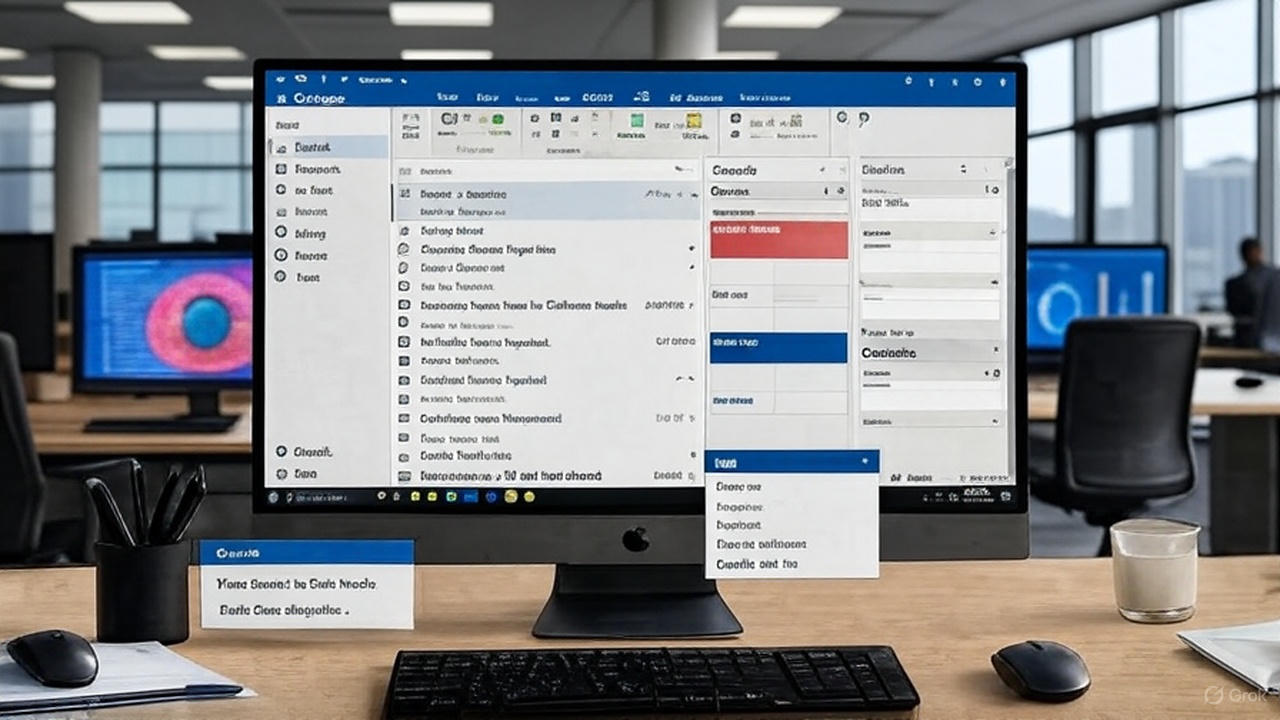


As a South African IT support company, we at Westech know that when you use your computer, it is inevitable that temporary files created by the operating system or apps and files that you have created, but forgotten about, are stored on your computer. Here are some tips on how to clean up your computer.
If you battle to remember all your passwords, you may find it convenient to use a Password Manager. According to PC Mag, some of the best Password Manager Applications include; read more here.
MSP Meaning / Managed Service Provider Definition
MSP stands for Managed Service Provider. Westech, a prominent local Managed IT services MSP in South Africa, specializes in providing comprehensive solutions to businesses by managing their IT infrastructure and services.
As an MSP, Westech offers a range of services including proactive monitoring, maintenance, cybersecurity, cloud computing, and IT support. Their aim is to ensure that their clients’ IT systems run smoothly and efficiently, allowing them to focus on their core business objectives without worrying about technological challenges. By outsourcing IT management to Westech, businesses can benefit from expert support, cost-effectiveness, scalability, and enhanced security, thus gaining a competitive edge in today’s digital landscape. Learn more about the definition of an MSP here.
If you suspect you’ve received a phishing email, act with caution. Cybersecurity risks can be severe. Below are safety measures you can take. Westech provides advanced protection for businesses.
- Do not click suspicious links or open attachments.
- Verify the sender’s domain before trusting an email.
- Report phishing emails immediately.
- Change your password if you’ve clicked a malicious link.
Running out of disk space can slow your PC and prevent important updates. Try the following methods to free up space. For scalable storage solutions, contact Westech.
- Delete unnecessary temporary files and empty recycle bin.
- Uninstall applications you don’t use.
- Move large files to external storage or OneDrive.
- Consider upgrading your hard drive to a larger capacity.
Network problems are common in both home and office environments. If you cannot connect to Wi-Fi, follow these troubleshooting steps. Westech offers full network management services.
- Restart your device and Wi-Fi router.
- Forget and reconnect to the network.
- Check if other devices can connect.
- Update your Wi-Fi drivers.
- If issue persists, perform a network reset.
If your printer is offline or not responding, these checks can often restore connectivity. Westech can provide managed print services and IT support for your office devices.
- Ensure the printer is powered on and connected to the same network.
- Remove and re-add the printer in Windows settings.
- Ping the printer’s IP to confirm connectivity.
- Try a different USB port or reinstall drivers if using USB.
Forgetting or losing access to your Windows password can disrupt work. Follow these options for resetting your account, or contact Westech for secure password and identity management. [Comment: New FAQ — not on website; add this one.]
- In a domain environment, reset via Active Directory or Azure AD.
- For local accounts, use Control Panel → User Accounts.
- If locked out, contact IT support for assistance.
If your work emails are not updating on mobile devices, it may be due to sync issues. Use the steps below to restore access, or let Westech manage mobile IT configurations for your business.
- Restart your device.
- Remove and re-add your email account.
- Ensure time/date is set to automatic and OS is updated.
- Reinstall the mail app if necessary.
A malware or virus infection can compromise sensitive data. Take these actions immediately to protect your system. Westech offers complete cybersecurity services for businesses.
- Disconnect from the network immediately.
- Run a scan with a trusted antivirus or anti-malware tool.
- Quarantine or remove threats and update your OS.
- If infection is severe, consider a clean reinstall.
Shared drive issues can prevent access to important files. If you can’t connect to a shared folder, follow these steps. Westech can help maintain your file servers and VPN access.
- Ensure VPN is connected if working remotely.
- Verify permissions with your IT administrator.
- Try mapping the drive with its IP address instead of name.
- Check credentials in Windows Credential Manager.
Multiple incorrect login attempts can lock your account. Follow these solutions to regain access. Westech provides account and identity management solutions for businesses.
- In Active Directory or Azure AD, reset the account.
- Identify the device or service causing repeated login failures.
- Update stored credentials on all devices.
If your files are not syncing properly in OneDrive or SharePoint, try these fixes. For enterprise cloud support, Westech offers Microsoft 365 management services.
- Ensure you are signed in and OneDrive is running.
- Pause and resume syncing.
- Check for filename issues or files in use.
- Reinstall OneDrive if necessary.
Got any more IT Help Questions? Visit our FAQ page or contact us to make an appointment.
When Windows updates fail, security and performance may be affected. Use the troubleshooting below, or let Westech manage your company’s IT patching and updates.
- – Run the Windows Update Troubleshooter.
- – Delete temporary update files in C:\Windows\SoftwareDistribution.
- – Restart your PC and try again.
Got any more IT Help Questions? Visit our FAQ page or contact us to make an appointment.
If your computer fails to start, hardware or boot order may be at fault. Try the steps below. For emergency IT recovery services, contact Westech immediately.
- Check BIOS boot order and ensure no external devices are interfering.
- Run Startup Repair from Windows recovery.
- Check motherboard or hard drive connections.
Multi-Factor Authentication (MFA) protects accounts from cyber threats. If you’re setting up MFA on a new phone, follow these steps. Westech can assist with secure identity setup.
- Ask IT admin to reset your MFA account if required.
- Download Microsoft Authenticator from your app store.
- Go to https://aka.ms/mfasetup and scan the QR code.
Read AI is an advanced AI meeting recording software that automatically joins video conferences to provide real-time transcription, automated meeting summaries, and intelligent note-taking. This productivity platform integrates seamlessly with Microsoft Teams, Zoom, and Google Meet, transforming how businesses in South Africa and globally document and review meetings.
Acting as your dedicated AI notetaker, the platform captures every critical detail while participants remain focused on conversations. Read AI generates comprehensive reports including action items, key questions, speaker analytics, and engagement metrics. Whether South African enterprises need reliable meeting transcription services or want to leverage AI-powered collaboration insights, Read AI delivers enterprise-grade solutions with SOC 2 certification and GDPR compliance, ensuring data security for businesses across Africa and beyond.
A Managed Intelligence Provider is an IT service provider that delivers intelligence, analytics, cybersecurity, and optimisation across your IT environment using continuous monitoring and data insights.
Managed Intelligence Providers are a specialized service provider that delivers comprehensive intelligence solutions, including cyber threat intelligence, security intelligence, and business intelligence. Unlike traditional IT Managed Service Providers, an MIP focuses on collecting, analyzing, and delivering actionable insights that help organizations make informed decisions and protect against threats.
Find out more about what a Managed Intelligence Provider is in our recent blog post here.
By detecting vulnerabilities early, monitoring behavioural signals, and providing real-time threat alerts.
Yes. Westech’s MIP services assist with POPIA, GDPR, and industry-specific compliance through continuous audit logs and automated monitoring.
Small, medium, and large enterprises all benefit—especially organisations that rely heavily on digital operations.
MIP stands for Managed Intelligence Provider.
Legal firms, finance companies, manufacturing, retail, healthcare, real estate, engineering, logistics, and SME’s.
PAA (People, Analytics, Automation) is part of the intelligence layer that helps businesses monitor performance and automate workflows.
PAA is a modern approach used by Managed Intelligence Providers to analyse human performance, identify productivity challenges, and automate repetitive processes.
This allows companies to:
- track staff performance patterns
- understand time usage
- identify bottlenecks
- reduce manual tasks
- implement automation to improve efficiency
PAA helps businesses become smarter, faster, and more scalable.
Because Westech provides 24/7 monitoring, cybersecurity intelligence, analytics, IT management, and strategic decision support – all in one service.
Managed intelligence refers to outsourced intelligence services where specialized providers handle the collection, analysis, and delivery of actionable intelligence on behalf of an organization. This includes cyber threat intelligence, security intelligence, business intelligence, and operational intelligence, delivered by expert analysts using advanced technologies.
For most organizations, partnering with a Managed Intelligence Provider delivers significant value. The cost of building an internal intelligence capability – including hiring analysts, purchasing tools, and ongoing training – far exceeds MIP subscription costs. Additionally, MIPs provide 24/7 monitoring, specialized expertise, and immediate access to threat intelligence that would take years to develop internally. One needs to consider what the cost implications are of not engaging with the services of a Managed Intelligence Provider such as Westech.
While both provide managed services, a Managed Service Provider (MSP) focuses on IT infrastructure management and technical support. A Managed Intelligence Provider specializes in intelligence gathering, threat analysis, and strategic insights. MIPs employ intelligence analysts and security researchers, while MSPs employ IT technicians and engineers.
What Are the Key Features of Microsoft Copilot?
Microsoft Copilot delivers powerful capabilities across your entire Microsoft ecosystem:
Document Creation: Generate professional documents, reports, and presentations directly within Word and PowerPoint. Copilot can draft content, suggest improvements, and format documents based on your requirements.
Data Analysis: Excel integration allows Copilot to analyse datasets, create complex formulas, generate visualisations, and provide insights through natural language queries.
Meeting Intelligence: Teams integration provides real-time transcription, meeting summaries, action item tracking, and follow-up recommendations.
Email Management: Outlook assistance helps draft responses, summarise long email threads, and prioritise messages based on importance.
Custom AI Agents: Through Copilot Studio, businesses can create specialised AI agents for customer service, data entry, workflow automation, and other organisational needs.
If you’re new to the platform, begin with a clear explanation of what Microsoft Copilot is and how it works, then review how much Microsoft Copilot costs for South African organisations to understand ROI, learn whether Microsoft Copilot is safe for business use, and finally explore Microsoft Copilot vs ChatGPT and Claude to see how these features compare across AI tools.
Ready to explore how Copilot can benefit your organisation? Read our complete guide to Copilot AI
Is Microsoft Copilot Secure for Business Use?
Yes, Microsoft Copilot is designed with enterprise-grade security at its core. Your organisation’s data remains within your Microsoft 365 tenant and is never used to train Microsoft’s public AI models. This ensures complete data privacy and protection.
Copilot respects your existing security boundaries and permissions. Users can only access information they’re already authorised to view through their normal Microsoft 365 permissions. The AI assistant operates within your organisation’s established security policies, access controls, and compliance frameworks.
For South African organisations, Microsoft Copilot complies with the Protection of Personal Information Act (POPIA) when properly configured. Microsoft maintains comprehensive certifications including GDPR, HIPAA, ISO 27001, and SOC 2, providing assurance for regulated industries such as healthcare, finance, and legal services.
Data encryption protects information both in transit and at rest. Microsoft’s commitment to data sovereignty means South African organisations can choose data residency options that align with local regulatory requirements.
If you’re still learning the basics, start with our guide on what Microsoft Copilot is and how it integrates with Microsoft 365, then review Microsoft Copilot pricing and licensing in South Africa, compare alternatives in our Copilot vs ChatGPT vs Claude analysis, and finally explore the key features of Microsoft Copilot that support secure collaboration and data handling.
Ready to explore how Copilot can benefit your organisation? Read our complete guide to Copilot AI.
What is Microsoft Copilot?
Microsoft Copilot is an advanced AI assistant that integrates seamlessly with your Microsoft 365 applications and Windows 11 operating system. Powered by cutting-edge GPT-5 technology, Copilot transforms how you work by understanding natural language commands and providing intelligent assistance across your entire digital workspace.
Unlike standalone AI chatbots, Microsoft Copilot works directly within Word, Excel, PowerPoint, Teams, Outlook, and other Microsoft applications. It analyses your organisational data, learns from your work patterns, and provides contextual suggestions that help you complete tasks faster and with greater accuracy.
For South African businesses, Copilot represents a practical solution for enhancing workplace productivity whilst maintaining enterprise-grade security and compliance with local regulations including POPIA.
Ready to explore how Copilot can benefit your organisation? Read our complete guide to Copilot AI
Want to understand the investment involved? See our breakdown of Microsoft Copilot pricing for South African businesses, learn whether Microsoft Copilot is secure and POPIA-compliant for business use, compare Microsoft Copilot vs ChatGPT and Claude to see how it stacks up against other AI tools, and explore what it can actually do by reviewing the key features and capabilities of Microsoft Copilot.
How Does Copilot Compare to Other AI Assistants?
Whilst ChatGPT, Claude, and Grok are powerful general-purpose AI assistants, Microsoft Copilot offers distinct advantages for organisations already using Microsoft technologies.
ChatGPT by OpenAI excels at creative writing, general problem-solving, and conversational interactions. It’s ideal for standalone tasks but requires manual data input and lacks native integration with business applications.
Claude by Anthropic specialises in handling long documents and maintaining context across complex discussions. It’s particularly strong for research and analysis tasks but operates independently from your existing software ecosystem.
Copilot‘s competitive advantage lies in its deep integration with Microsoft 365. It can directly create Word documents, Excel spreadsheets, and PowerPoint presentations within those applications, access your SharePoint files, summarise Teams meetings, and maintain context across your entire Microsoft ecosystem. For businesses already invested in Microsoft technologies, Copilot provides productivity enhancement without workflow disruption.
Not familiar with Copilot yet? Start with an overview of what Microsoft Copilot is and how businesses use it, then review Microsoft Copilot pricing and licensing considerations, understand whether Microsoft Copilot is secure and POPIA-compliant, and finally explore the key Microsoft Copilot features available within Microsoft 365 to see how it compares in real-world use.
Ready to explore how Copilot can benefit your organisation? Read our complete guide to Copilot AI,
Microsoft Copilot AI Price Explained
Microsoft 365 Copilot pricing varies depending on the edition and licensing model you choose. For enterprise users, Copilot typically costs approximately $30 USD per user per month, in addition to your existing Microsoft 365 subscription. Individual users can access Copilot Pro for around $20 USD per month.
For South African organisations, pricing is subject to currency exchange rates and local licensing agreements. Windows 11 includes basic Copilot functionality at no additional cost, providing entry-level AI assistance directly within the operating system. Before budgeting, it’s important to understand how secure Microsoft Copilot is for business environments.
Additional costs may include Copilot Studio for creating custom AI agents, which operates on a usage-based pricing model. Enterprise deployments should also factor in implementation costs, user training, and ongoing support.
Not sure if Copilot is the right AI for you? See how it compares in our Copilot vs ChatGPT vs Claude comparison, explore the key features and productivity capabilities of Microsoft Copilot to assess value for money , and if you’re new to the platform, start with an overview of what Microsoft Copilot is and how it works within Microsoft 365.
Ready to explore how Copilot can benefit your organisation? Read our complete guide to Copilot AI.
Contact Westech‘s IT Support team for accurate South African pricing and licensing guidance tailored to your organisation’s specific requirements.
What is AI Coding?
AI coding tools are transforming how developers write software. Whether you are new to programming or looking to enhance your workflow, understanding AI coding fundamentals can dramatically improve your productivity. These intelligent assistants help developers write, debug, and optimize code faster than traditional methods.
Popular AI coding assistants include GitHub Copilot, ChatGPT, Claude AI, and Microsoft Copilot. These tools use advanced machine learning to understand your code context and provide intelligent suggestions. GitHub Copilot integrates directly into your editor, offering real-time code completions. ChatGPT and Claude excel at explaining complex programming concepts and helping with debugging. Microsoft Copilot provides comprehensive assistance across the Microsoft ecosystem.
Getting started with AI for beginners requires understanding both the benefits and limitations. While these tools accelerate development, they work best when you understand fundamental programming concepts. Think of them as intelligent assistants rather than replacements for learning.
If your business needs expert IT Support services or guidance implementing AI tools in your development workflow, Westech provides comprehensive Managed IT Services across South Africa.
Read the full article: AI Coding 101: Complete Beginner’s Guide
What is RAG? Retrieval Augmented Generation Guide
RAG (Retrieval Augmented Generation) revolutionizes how AI systems deliver accurate, up-to-date information by combining the power of large language models with external knowledge sources. Instead of relying solely on training data, RAG systems retrieve relevant information from databases, documents, and proprietary knowledge bases before generating responses. This approach dramatically reduces AI hallucinations, enables access to current information, and allows businesses to leverage AI with their specific data without expensive model retraining. Whether you’re using ChatGPT, Claude, Google Gemini, or Microsoft Copilot, understanding RAG implementation transforms how you deploy AI in customer support, internal knowledge management, and data-driven decision-making. Westech’s IT consulting experts help South African businesses implement RAG systems that deliver measurable results while maintaining data security and compliance. Read our full article here.
AI hallucinations occur when artificial intelligence generates false or misleading information presented as fact. These errors result from the AI’s pattern-matching nature rather than true understanding, making verification essential before trusting AI outputs.
External Authority References
For deeper understanding of AI accountability frameworks, these high-authority resources provide comprehensive guidance:
- Google Cloud – AI Hallucinations – Technical explanation of AI accuracy challenges (DA: 93)
- Wikipedia – AI Hallucinations – Comprehensive overview of AI accuracy issues (DA: 95)
- MIT Sloan – AI Hallucinations Guide – Academic perspective on AI limitations (DA: 81)
Verify AI content by cross-referencing factual claims with authoritative sources, checking citations exist and support stated conclusions, confirming numerical accuracy, and ensuring logical consistency throughout the text. Westech’s IT support team can help establish verification protocols.
External Authority References
For deeper understanding of AI accountability frameworks, these high-authority resources provide comprehensive guidance:
- Carnegie Council – AI Accountability – Ethical frameworks for AI responsibility (DA: 61)
- Harvard DCE – Responsible AI Principles – Five key principles for organizational AI use (DA: 84)
- NTIA – AI Accountability Policy – Federal guidance on AI trustworthiness (DA: 91)
- Google Cloud – AI Hallucinations – Technical explanation of AI accuracy challenges (DA: 93)
- Wikipedia – AI Hallucinations – Comprehensive overview of AI accuracy issues (DA: 95)
- MIT Sloan – AI Hallucinations Guide – Academic perspective on AI limitations (DA: 81)
- Salesforce – AI Accountability – Enterprise approaches to AI governance (DA: 94)
Need help implementing responsible AI practices in your organization?
Contact Westech’s expert IT team at +27 11 519 4900 or visit our contact page to discuss your technology needs.
The user who deploys or distributes AI-generated content bears primary responsibility for any errors, regardless of the AI system’s role in creation. This includes individuals, managers, and organizations that employ AI tools.
Learn more about this in our recent AI Accountability & AI Hallucinations FAQ Blog here.
External Authority References
For deeper understanding of AI accountability frameworks, these high-authority resources provide comprehensive guidance:
- Carnegie Council – AI Accountability – Ethical frameworks for AI responsibility (DA: 61)
- Harvard DCE – Responsible AI Principles – Five key principles for organizational AI use (DA: 84)
- NTIA – AI Accountability Policy – Federal guidance on AI trustworthiness (DA: 91)
- Google Cloud – AI Hallucinations – Technical explanation of AI accuracy challenges (DA: 93)
- Wikipedia – AI Hallucinations – Comprehensive overview of AI accuracy issues (DA: 95)
- MIT Sloan – AI Hallucinations Guide – Academic perspective on AI limitations (DA: 81)
- Salesforce – AI Accountability – Enterprise approaches to AI governance (DA: 94)
Need help implementing responsible AI practices in your organization?
Contact Westech’s expert IT team at +27 11 519 4900 or visit our contact page to discuss your technology needs.
Yes. Legal and professional accountability rests with the person who represents the content as their own. Courts increasingly hold professionals responsible for AI-generated mistakes, including fabricated citations and factual errors.
Learn more about this in our recent AI Accountability & AI Hallucinations FAQ Blog here.
External Authority References
For deeper understanding of AI accountability frameworks, these high-authority resources provide comprehensive guidance:
- Carnegie Council – AI Accountability – Ethical frameworks for AI responsibility (DA: 61)
- Harvard DCE – Responsible AI Principles – Five key principles for organizational AI use (DA: 84)
- NTIA – AI Accountability Policy – Federal guidance on AI trustworthiness (DA: 91)
- Google Cloud – AI Hallucinations – Technical explanation of AI accuracy challenges (DA: 93)
- Wikipedia – AI Hallucinations – Comprehensive overview of AI accuracy issues (DA: 95)
- MIT Sloan – AI Hallucinations Guide – Academic perspective on AI limitations (DA: 81)
- Salesforce – AI Accountability – Enterprise approaches to AI governance (DA: 94)
Need help implementing responsible AI practices in your organization?
Contact Westech’s expert IT team at +27 11 519 4900 or visit our contact page to discuss your technology needs.
Organizations should establish clear governance frameworks, designate AI oversight roles, implement verification protocols, provide employee training, and conduct regular audits. Contact Westech’s IT consulting team for assistance developing comprehensive responsible AI policies.
Learn more about this in our recent AI Accountability & AI Hallucinations FAQ Blog here.
External Authority References
For deeper understanding of AI accountability frameworks, these high-authority resources provide comprehensive guidance:
- Carnegie Council – AI Accountability – Ethical frameworks for AI responsibility (DA: 61)
- Harvard DCE – Responsible AI Principles – Five key principles for organizational AI use (DA: 84)
- NTIA – AI Accountability Policy – Federal guidance on AI trustworthiness (DA: 91)
- Google Cloud – AI Hallucinations – Technical explanation of AI accuracy challenges (DA: 93)
- Wikipedia – AI Hallucinations – Comprehensive overview of AI accuracy issues (DA: 95)
- MIT Sloan – AI Hallucinations Guide – Academic perspective on AI limitations (DA: 81)
- Salesforce – AI Accountability – Enterprise approaches to AI governance (DA: 94)
Need help implementing responsible AI practices in your organization?
Contact Westech’s expert IT team at +27 11 519 4900 or visit our contact page to discuss your technology needs.
AI accountability refers to the obligation of individuals and organizations to take responsibility for outcomes produced by artificial intelligence systems. Since AI cannot experience consequences, humans must remain accountable for AI-generated content and decisions. Learn more about managed IT services that include AI governance frameworks.
Learn more about this in our recent AI Accountability & AI Hallucinations FAQ Blog here.
External Authority References
For deeper understanding of AI accountability frameworks, these high-authority resources provide comprehensive guidance:
- Carnegie Council – AI Accountability – Ethical frameworks for AI responsibility (DA: 61)
- Harvard DCE – Responsible AI Principles – Five key principles for organizational AI use (DA: 84)
- NTIA – AI Accountability Policy – Federal guidance on AI trustworthiness (DA: 91)
- Salesforce – AI Accountability – Enterprise approaches to AI governance (DA: 94)
Need help implementing responsible AI practices in your organization?
Contact Westech’s expert IT team at +27 11 519 4900 or visit our contact page to discuss your technology needs.
Can free AI tools see my personal information?
Yes, in many cases they can. As explained in the article on Personal Data Safety with AI, most free AI platforms store prompts, uploads, and conversation history unless users disable these settings. This information may be reviewed by human moderators and used to improve the system’s training data. Because of this, sensitive personal or business information should never be entered into free AI tools without proper privacy controls.
Are AI platforms like ChatGPT and Claude POPIA compliant?
As discussed in the main article, global AI platforms such as ChatGPT and Claude operate under international privacy frameworks, but using their free versions does not automatically ensure POPIA compliance for South African businesses. POPIA requires organisations to maintain strict control over personal data, and uploading client information to public AI tools can create compliance risks unless enterprise-level protections are in place.
What are the biggest AI data privacy risks for companies?
The most significant risk is data leakage, which occurs when sensitive information is entered into AI systems outside your organisation’s secure environment. As highlighted in the article Personal Data Safety with AI, if an employee pastes client contracts, financial records, or proprietary documents into a free AI tool, that data may be stored or used for training. This removes the organisation’s direct control over how the information is handled.
How can I use AI without risking my data safety?
The safest approach, as outlined in the article on Personal Data Safety with AI, is to use enterprise or business versions of AI platforms such as ChatGPT Enterprise or Microsoft Copilot for Business. These services typically include commercial data protection policies where prompts and documents are not used to train the model. Businesses should also implement internal AI usage policies and anonymise any data used in prompts.
Is my data encrypted on these platforms?
Most major AI platforms encrypt user data while it is being transmitted and stored on their servers. However, as mentioned in the main article, encryption alone does not eliminate all AI data privacy risks. Even encrypted data may still be accessible to the platform for system improvement or moderation purposes, which is why avoiding sensitive information in prompts remains critical.
AI tools such as Microsoft 365 Copilot, AI-powered cybersecurity platforms, and cloud-based customer service tools are among the most practical and accessible options for South African SMEs in 2026.
The right choice depends on your business size, existing IT setup, and the specific workflow problems you are trying to solve. As explained in our main guide, successful AI adoption starts with identifying where automation will have the biggest operational impact rather than adopting tools at random.
In most cases, yes. AI tools require stable internet connectivity, current hardware, clean data environments, and strong cybersecurity.
Running AI applications on outdated or poorly configured infrastructure produces unreliable results and introduces security risks. As highlighted in the main article, AI readiness is less about the tools themselves and more about whether your underlying systems can support them effectively.
A managed IT services provider takes responsibility for managing and maintaining your IT environment under a service level agreement.
In the context of AI readiness, they assess your infrastructure, close performance and security gaps, and ensure your systems can support AI tools effectively. As outlined in the main article, this kind of structured support is often the difference between successful AI adoption and costly implementation failures.
Costs vary significantly depending on the current state of your infrastructure.
Some businesses need minor configuration changes, while others require hardware upgrades or full network redesigns. As explained in the main article, the most reliable starting point is a professional IT audit, which provides a clear roadmap and prevents unnecessary spending on the wrong solutions.
AI tools increase the number of integrations and data touchpoints in your IT environment, which expands your attack surface.
Common risks include phishing attacks targeting AI-connected credentials, data exfiltration through poorly secured API connections, and misuse of AI-generated content. As discussed in the main article, cybersecurity must evolve alongside AI adoption to protect your business effectively.
NEED MORE HELP?
Should you still be unable to resolve your IT issue after reading through the FAQ section, select Westech’s Express Desk App below for assistance.
Express Desk is our Mobile Application, which allows our clients to communicate with us from any device. It was inspired by the need for our clients to have instant access to our IT Support Application and e-Commerce site.
As a professional IT Support company, Westech offers IT Support SLA’s for assistance with your existing IT infrastructure. We also undertake comprehensive IT audits on request, to establish the state of your company’s IT infrastructure. This enables us to make suggestions on cost-effective, tailored solutions and even move your company into Cloud Based Computing. In addition, we also offer in-house or outsourced IT support.
EXPRESS DESK
Logon to Express Desk Here For Instant IT Support
|
|
APP DOWNLOAD
The Express Desk IT Support Application is made available exclusively to Westech Clients.


RECENT FAQ HELP BLOG ARTICLES

It’s Spring – Time for a Digital Clean Up!
As a South African IT support company, we at Westech know that when you use your computer, it is inevitable that temporary files created by the operating system or apps and files that you [...]

These are the Top 4 Common IT Frustrations
Westech, a South African IT company based in Sandton, recently posted a survey on LinkedIn to uncover what people felt were the most frustrating IT issues. Slow computer response times topped the list of aggravations [...]

What is a VPN, and do I Need One?
Perhaps you have heard of a VPN but, not being an IT Technician, you have no idea of what it is or how it can benefit you. Westech, a preferred IT support and services [...]

My Email Is Not Working – What Should I Do?
Westech often receives IT questions about emails not working. However, this inconvenience can usually be easily fixed, as we will discuss in the following guide. Is Your Internet Connection Working? Firstly, you need to [...]

What are the Benefits for me to use the Cloud in my Personal Capacity?
While Cloud technology can reduce business risks, it is also important for individual users to understand how this type of technology can benefit them personally. Let’s begin by explaining exactly what the Cloud is. Cloud [...]

What Microsoft Office Packages Do I Need?
Microsoft Office provides a collection of purpose-suited applications such as Microsoft Word, PowerPoint, Excel and Outlook, to name a few. The latest version, Microsoft 365, distinguishes itself from older versions. It integrates its applications [...]

How will I know if my computer has a virus?
New variations of malware of emerging more frequently than ever before, and everyone should be concerned about computer viruses. If you have any of the following issues with your computer, it may have been [...]

How Can I Work During Load Shedding?
It is essential to be prepared and plan for the worst situation. While some people buy a generator or move to another area not affected by load shedding, this isn’t always possible or practical. [...]

Is it Worth Upgrading an old Laptop or Buying a new one?
If your computer is not older than five years, it would be an excellent option to upgrade it instead of buying a new computer. However, there are a couple of factors that need to [...]

How to speed up my computer
If you want to find out how to speed up your computer, read more below. [rml_read_more] How can I Increase the Speed of my Computer? Computers can start slowing down over a [...]

Westech Launches an Active FAQ Site to Address Common IT Concerns
Westech has noted that many of its clients have the same areas of concern when it comes to IT Support and issues they experience with their computers. Therefore, it has decided to make it [...]
Request a Call Back to Discuss Your IT Needs
It’s time to ditch that unreliable IT Support company burning a hole in your pocket and partner with an IT Support Company maximises productivity and profits.
It all starts with a simple call. We will discuss your current IT infrastructure and what problems you are facing. Our experience and certified IT consultants will provide some over-the-phone advice and recommendations.
