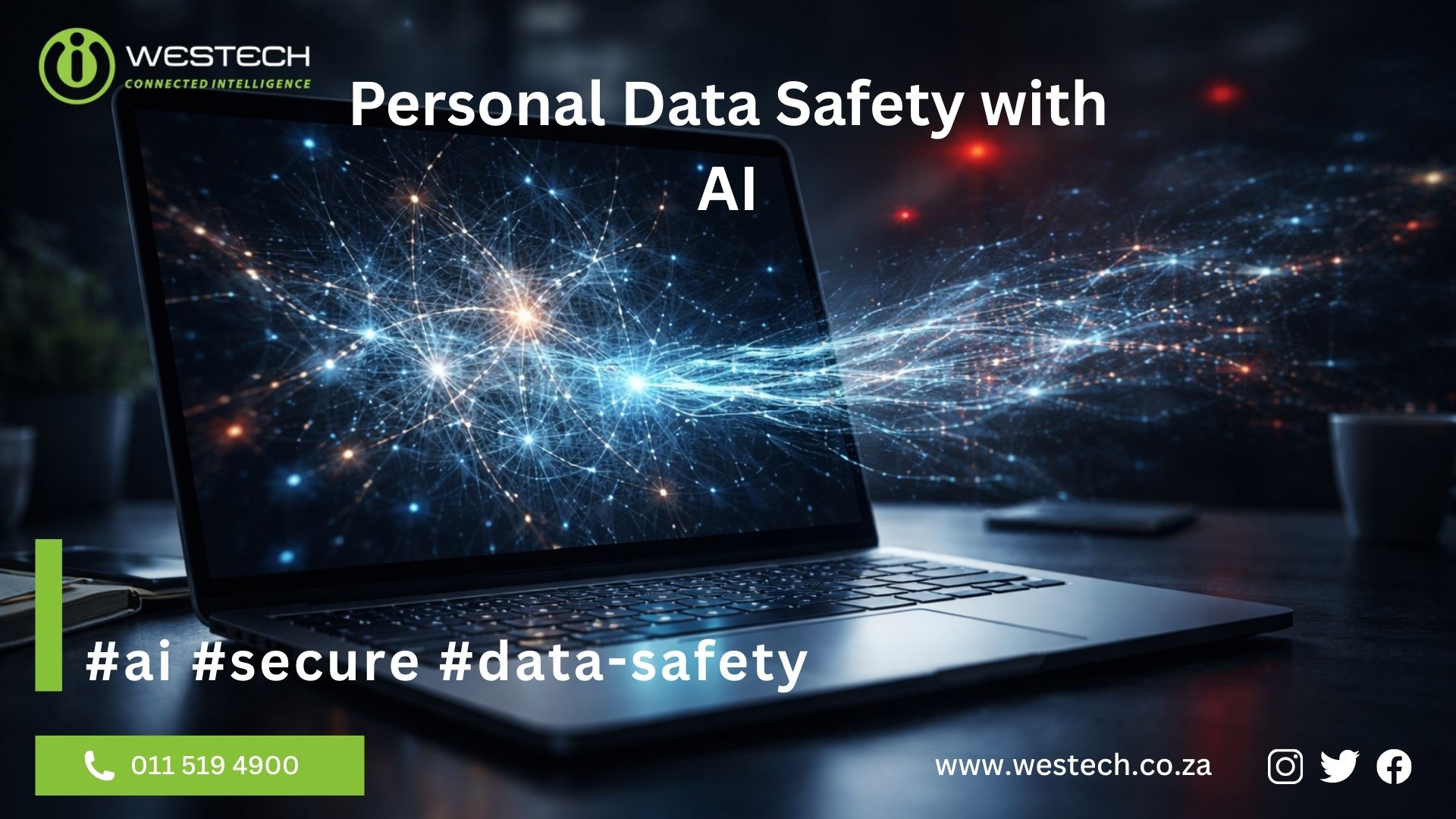
Personal Data Safety with AI: How Secure Are Free Platforms?
Understanding the Risks of Data Privacy in the AI Era
The rapid adoption of artificial intelligence has transformed the modern workplace in South Africa and across the globe. From drafting emails to analysing complex datasets, tools like ChatGPT and MS Copilot have become indispensable. However, as these tools become part of our daily routine, we must address a critical concern: Personal Data safety with AI. Many users assume that their interactions with these platforms are as private as a traditional word processor, but the reality is much more complex.
When you ask, how safe is my personal data in free AI Platforms, you have to look at the business model of these companies. Most free versions of AI tools operate on a data-exchange basis. You get a powerful service for free, and in return, the platform uses your data to “train” and refine its algorithms. This means that anything you type into a prompt could potentially become part of the collective knowledge of the AI, creating significant AI data privacy risks.
The Vulnerability of Free AI Platforms
Free AI platforms are designed for public use and often lack the robust security layers found in enterprise-level software. For a business operating in South Africa, this presents a direct challenge to POPIA compliance for AI. Under the Protection of Personal Information Act, businesses are responsible for ensuring that the personal data of their clients is handled securely. Uploading sensitive client information to a free AI tool can result in a data breach that falls outside your corporate firewall.
The most popular AI tools currently dominating the market include:
- ChatGPT (OpenAI): The global leader in generative AI. While it offers powerful features, the free version defaults to using your data for model training. OpenAI Security
- Microsoft Copilot: Integrated into the Windows ecosystem. The consumer version has different privacy rules than the enterprise version used by large corporations. Microsoft Trust Center
- Claude (Anthropic): Known for its “constitutional AI” approach, focusing on safety, yet free users must still manage their data sharing settings carefully.
- Grok (xAI): Integrated into the X platform, it uses real-time data from social media feeds, which raises unique privacy questions.
- Google Gemini: Google’s powerful AI model that connects with your search and workspace data.
For more insights on how to secure your digital environment, visit our IT Support page for professional guidance.
How Safe is My Personal Data in Free AI Platforms?
The primary concern with Personal Data safety with AI is the “Human in the Loop” factor. To ensure AI models stay accurate and safe, companies often employ human reviewers to read through anonymized snippets of user prompts. If you accidentally include your home address, financial details, or proprietary business secrets in a prompt, there is a chance a human reviewer could see it.
Furthermore, once data is fed into a free model, it is nearly impossible to “delete” that specific information from the AI’s learned patterns. This is why Personal Data safety with AI is not just about hackers stealing your password; it is about the long-term control of your information.

Strategic Steps for Data Protection
To mitigate these risks, Westech recommends that South African businesses and individuals follow these best practices:
- Avoid PII: Never enter Personally Identifiable Information (PII) such as ID numbers, addresses, or banking details into a prompt.
- Use Anonymization: If you need to analyse a document, strip away all identifying names and replace them with placeholders like “Client A.”
- Check Privacy Settings: Most platforms like ChatGPT allow you to turn off “Chat History & Training.” This is a vital step for Personal Data safety with AI.
- Invest in Enterprise Solutions: For professional use, the paid enterprise versions of these tools provide “Zero Retention” policies where your data is never used for training and remains within your organization.
The Importance of Professional IT Oversight
Maintaining Personal Data safety with AI is a continuous process. As an established IT Company in South Africa, Westech understands that technology moves faster than regulation. While Wikipedia provides a broad look at data privacy, local businesses must adhere to the specific requirements set out by the Information Regulator of South Africa.
By implementing a formal AI usage policy, your business can enjoy the productivity gains of these tools without compromising on security. We recommend reviewing our latest blog posts for more updates on emerging technology and cybersecurity.
Westech provides specialized IT Help to help companies set up these secure environments and ensure that their teams are using technology responsibly.

Frequently Asked Questions on AI Safety
Does the AI remember what I tell it?
Yes, most free platforms save your conversation history. While this is convenient for you to refer back to, it means the data remains on their servers. To improve Personal Data safety with AI, you should regularly clear your history or use incognito modes where available.
Is it safe to upload PDF documents to free AI tools?
Uploading documents is one of the highest AI data privacy risks. These files often contain metadata and hidden information that the AI can extract. Unless you are using a secure, private instance of an AI, avoid uploading sensitive business files.
How does Westech help with AI security?
We offer comprehensive managed services that include setting up secure API connections for AI, training staff on Personal Data safety with AI, and ensuring all software used within your office is fully compliant with local laws.
Can my data be leaked to other users?
While rare, there have been documented cases where AI models “leaked” snippets of training data to other users in response to specific prompts. This is the core reason why Personal Data safety with AI is a top priority for cybersecurity experts.
What is the best way to ensure POPIA compliance while using AI?
The best way is to work with an experienced technology partner. You need a clear audit trail of where your data goes. If you are unsure about your current setup, please contact us for a security assessment.
View Our AI FAQ
Is my data encrypted on these platforms?
Most major AI platforms encrypt user data while it is being transmitted and stored on their servers. However, as mentioned in the main article, encryption alone does not eliminate all AI data privacy risks. Even encrypted data may still be accessible to the platform for system improvement or moderation purposes, which is why avoiding sensitive information in prompts remains critical.
How can I use AI without risking my data safety?
The safest approach, as outlined in the article on Personal Data Safety with AI, is to use enterprise or business versions of AI platforms such as ChatGPT Enterprise or Microsoft Copilot for Business. These services typically include commercial data protection policies where prompts and documents are not used to train the model. Businesses should also implement internal AI usage policies and anonymise any data used in prompts.
What are the biggest AI data privacy risks for companies?
The most significant risk is data leakage, which occurs when sensitive information is entered into AI systems outside your organisation’s secure environment. As highlighted in the article Personal Data Safety with AI, if an employee pastes client contracts, financial records, or proprietary documents into a free AI tool, that data may be stored or used for training. This removes the organisation’s direct control over how the information is handled.
Are AI platforms like ChatGPT and Claude POPIA compliant?
As discussed in the main article, global AI platforms such as ChatGPT and Claude operate under international privacy frameworks, but using their free versions does not automatically ensure POPIA compliance for South African businesses. POPIA requires organisations to maintain strict control over personal data, and uploading client information to public AI tools can create compliance risks unless enterprise-level protections are in place.
Can free AI tools see my personal information?
Yes, in many cases they can. As explained in the article on Personal Data Safety with AI, most free AI platforms store prompts, uploads, and conversation history unless users disable these settings. This information may be reviewed by human moderators and used to improve the system’s training data. Because of this, sensitive personal or business information should never be entered into free AI tools without proper privacy controls.
AI accountability refers to the obligation of individuals and organizations to take responsibility for outcomes produced by artificial intelligence systems. Since AI cannot experience consequences, humans must remain accountable for AI-generated content and decisions. Learn more about managed IT services that include AI governance frameworks.
Learn more about this in our recent AI Accountability & AI Hallucinations FAQ Blog here.
External Authority References
For deeper understanding of AI accountability frameworks, these high-authority resources provide comprehensive guidance:
- Carnegie Council – AI Accountability – Ethical frameworks for AI responsibility (DA: 61)
- Harvard DCE – Responsible AI Principles – Five key principles for organizational AI use (DA: 84)
- NTIA – AI Accountability Policy – Federal guidance on AI trustworthiness (DA: 91)
- Salesforce – AI Accountability – Enterprise approaches to AI governance (DA: 94)
Need help implementing responsible AI practices in your organization?
Contact Westech’s expert IT team at +27 11 519 4900 or visit our contact page to discuss your technology needs.
Organizations should establish clear governance frameworks, designate AI oversight roles, implement verification protocols, provide employee training, and conduct regular audits. Contact Westech’s IT consulting team for assistance developing comprehensive responsible AI policies.
Learn more about this in our recent AI Accountability & AI Hallucinations FAQ Blog here.
External Authority References
For deeper understanding of AI accountability frameworks, these high-authority resources provide comprehensive guidance:
- Carnegie Council – AI Accountability – Ethical frameworks for AI responsibility (DA: 61)
- Harvard DCE – Responsible AI Principles – Five key principles for organizational AI use (DA: 84)
- NTIA – AI Accountability Policy – Federal guidance on AI trustworthiness (DA: 91)
- Google Cloud – AI Hallucinations – Technical explanation of AI accuracy challenges (DA: 93)
- Wikipedia – AI Hallucinations – Comprehensive overview of AI accuracy issues (DA: 95)
- MIT Sloan – AI Hallucinations Guide – Academic perspective on AI limitations (DA: 81)
- Salesforce – AI Accountability – Enterprise approaches to AI governance (DA: 94)
Need help implementing responsible AI practices in your organization?
Contact Westech’s expert IT team at +27 11 519 4900 or visit our contact page to discuss your technology needs.
Yes. Legal and professional accountability rests with the person who represents the content as their own. Courts increasingly hold professionals responsible for AI-generated mistakes, including fabricated citations and factual errors.
Learn more about this in our recent AI Accountability & AI Hallucinations FAQ Blog here.
External Authority References
For deeper understanding of AI accountability frameworks, these high-authority resources provide comprehensive guidance:
- Carnegie Council – AI Accountability – Ethical frameworks for AI responsibility (DA: 61)
- Harvard DCE – Responsible AI Principles – Five key principles for organizational AI use (DA: 84)
- NTIA – AI Accountability Policy – Federal guidance on AI trustworthiness (DA: 91)
- Google Cloud – AI Hallucinations – Technical explanation of AI accuracy challenges (DA: 93)
- Wikipedia – AI Hallucinations – Comprehensive overview of AI accuracy issues (DA: 95)
- MIT Sloan – AI Hallucinations Guide – Academic perspective on AI limitations (DA: 81)
- Salesforce – AI Accountability – Enterprise approaches to AI governance (DA: 94)
Need help implementing responsible AI practices in your organization?
Contact Westech’s expert IT team at +27 11 519 4900 or visit our contact page to discuss your technology needs.
The user who deploys or distributes AI-generated content bears primary responsibility for any errors, regardless of the AI system’s role in creation. This includes individuals, managers, and organizations that employ AI tools.
Learn more about this in our recent AI Accountability & AI Hallucinations FAQ Blog here.
External Authority References
For deeper understanding of AI accountability frameworks, these high-authority resources provide comprehensive guidance:
- Carnegie Council – AI Accountability – Ethical frameworks for AI responsibility (DA: 61)
- Harvard DCE – Responsible AI Principles – Five key principles for organizational AI use (DA: 84)
- NTIA – AI Accountability Policy – Federal guidance on AI trustworthiness (DA: 91)
- Google Cloud – AI Hallucinations – Technical explanation of AI accuracy challenges (DA: 93)
- Wikipedia – AI Hallucinations – Comprehensive overview of AI accuracy issues (DA: 95)
- MIT Sloan – AI Hallucinations Guide – Academic perspective on AI limitations (DA: 81)
- Salesforce – AI Accountability – Enterprise approaches to AI governance (DA: 94)
Need help implementing responsible AI practices in your organization?
Contact Westech’s expert IT team at +27 11 519 4900 or visit our contact page to discuss your technology needs.
Verify AI content by cross-referencing factual claims with authoritative sources, checking citations exist and support stated conclusions, confirming numerical accuracy, and ensuring logical consistency throughout the text. Westech’s IT support team can help establish verification protocols.
External Authority References
For deeper understanding of AI accountability frameworks, these high-authority resources provide comprehensive guidance:
- Carnegie Council – AI Accountability – Ethical frameworks for AI responsibility (DA: 61)
- Harvard DCE – Responsible AI Principles – Five key principles for organizational AI use (DA: 84)
- NTIA – AI Accountability Policy – Federal guidance on AI trustworthiness (DA: 91)
- Google Cloud – AI Hallucinations – Technical explanation of AI accuracy challenges (DA: 93)
- Wikipedia – AI Hallucinations – Comprehensive overview of AI accuracy issues (DA: 95)
- MIT Sloan – AI Hallucinations Guide – Academic perspective on AI limitations (DA: 81)
- Salesforce – AI Accountability – Enterprise approaches to AI governance (DA: 94)
Need help implementing responsible AI practices in your organization?
Contact Westech’s expert IT team at +27 11 519 4900 or visit our contact page to discuss your technology needs.
AI hallucinations occur when artificial intelligence generates false or misleading information presented as fact. These errors result from the AI’s pattern-matching nature rather than true understanding, making verification essential before trusting AI outputs.
External Authority References
For deeper understanding of AI accountability frameworks, these high-authority resources provide comprehensive guidance:
- Google Cloud – AI Hallucinations – Technical explanation of AI accuracy challenges (DA: 93)
- Wikipedia – AI Hallucinations – Comprehensive overview of AI accuracy issues (DA: 95)
- MIT Sloan – AI Hallucinations Guide – Academic perspective on AI limitations (DA: 81)
What is RAG? Retrieval Augmented Generation Guide
RAG (Retrieval Augmented Generation) revolutionizes how AI systems deliver accurate, up-to-date information by combining the power of large language models with external knowledge sources. Instead of relying solely on training data, RAG systems retrieve relevant information from databases, documents, and proprietary knowledge bases before generating responses. This approach dramatically reduces AI hallucinations, enables access to current information, and allows businesses to leverage AI with their specific data without expensive model retraining. Whether you’re using ChatGPT, Claude, Google Gemini, or Microsoft Copilot, understanding RAG implementation transforms how you deploy AI in customer support, internal knowledge management, and data-driven decision-making. Westech’s IT consulting experts help South African businesses implement RAG systems that deliver measurable results while maintaining data security and compliance. Read our full article here.
What is AI Coding?
AI coding tools are transforming how developers write software. Whether you are new to programming or looking to enhance your workflow, understanding AI coding fundamentals can dramatically improve your productivity. These intelligent assistants help developers write, debug, and optimize code faster than traditional methods.
Popular AI coding assistants include GitHub Copilot, ChatGPT, Claude AI, and Microsoft Copilot. These tools use advanced machine learning to understand your code context and provide intelligent suggestions. GitHub Copilot integrates directly into your editor, offering real-time code completions. ChatGPT and Claude excel at explaining complex programming concepts and helping with debugging. Microsoft Copilot provides comprehensive assistance across the Microsoft ecosystem.
Getting started with AI for beginners requires understanding both the benefits and limitations. While these tools accelerate development, they work best when you understand fundamental programming concepts. Think of them as intelligent assistants rather than replacements for learning.
If your business needs expert IT Support services or guidance implementing AI tools in your development workflow, Westech provides comprehensive Managed IT Services across South Africa.
Read the full article: AI Coding 101: Complete Beginner’s Guide
Microsoft Copilot AI Price Explained
Microsoft 365 Copilot pricing varies depending on the edition and licensing model you choose. For enterprise users, Copilot typically costs approximately $30 USD per user per month, in addition to your existing Microsoft 365 subscription. Individual users can access Copilot Pro for around $20 USD per month.
For South African organisations, pricing is subject to currency exchange rates and local licensing agreements. Windows 11 includes basic Copilot functionality at no additional cost, providing entry-level AI assistance directly within the operating system. Before budgeting, it’s important to understand how secure Microsoft Copilot is for business environments.
Additional costs may include Copilot Studio for creating custom AI agents, which operates on a usage-based pricing model. Enterprise deployments should also factor in implementation costs, user training, and ongoing support.
Not sure if Copilot is the right AI for you? See how it compares in our Copilot vs ChatGPT vs Claude comparison, explore the key features and productivity capabilities of Microsoft Copilot to assess value for money , and if you’re new to the platform, start with an overview of what Microsoft Copilot is and how it works within Microsoft 365.
Ready to explore how Copilot can benefit your organisation? Read our complete guide to Copilot AI.
Contact Westech‘s IT Support team for accurate South African pricing and licensing guidance tailored to your organisation’s specific requirements.
How Does Copilot Compare to Other AI Assistants?
Whilst ChatGPT, Claude, and Grok are powerful general-purpose AI assistants, Microsoft Copilot offers distinct advantages for organisations already using Microsoft technologies.
ChatGPT by OpenAI excels at creative writing, general problem-solving, and conversational interactions. It’s ideal for standalone tasks but requires manual data input and lacks native integration with business applications.
Claude by Anthropic specialises in handling long documents and maintaining context across complex discussions. It’s particularly strong for research and analysis tasks but operates independently from your existing software ecosystem.
Copilot‘s competitive advantage lies in its deep integration with Microsoft 365. It can directly create Word documents, Excel spreadsheets, and PowerPoint presentations within those applications, access your SharePoint files, summarise Teams meetings, and maintain context across your entire Microsoft ecosystem. For businesses already invested in Microsoft technologies, Copilot provides productivity enhancement without workflow disruption.
Not familiar with Copilot yet? Start with an overview of what Microsoft Copilot is and how businesses use it, then review Microsoft Copilot pricing and licensing considerations, understand whether Microsoft Copilot is secure and POPIA-compliant, and finally explore the key Microsoft Copilot features available within Microsoft 365 to see how it compares in real-world use.
Ready to explore how Copilot can benefit your organisation? Read our complete guide to Copilot AI,
What is Microsoft Copilot?
Microsoft Copilot is an advanced AI assistant that integrates seamlessly with your Microsoft 365 applications and Windows 11 operating system. Powered by cutting-edge GPT-5 technology, Copilot transforms how you work by understanding natural language commands and providing intelligent assistance across your entire digital workspace.
Unlike standalone AI chatbots, Microsoft Copilot works directly within Word, Excel, PowerPoint, Teams, Outlook, and other Microsoft applications. It analyses your organisational data, learns from your work patterns, and provides contextual suggestions that help you complete tasks faster and with greater accuracy.
For South African businesses, Copilot represents a practical solution for enhancing workplace productivity whilst maintaining enterprise-grade security and compliance with local regulations including POPIA.
Ready to explore how Copilot can benefit your organisation? Read our complete guide to Copilot AI
Want to understand the investment involved? See our breakdown of Microsoft Copilot pricing for South African businesses, learn whether Microsoft Copilot is secure and POPIA-compliant for business use, compare Microsoft Copilot vs ChatGPT and Claude to see how it stacks up against other AI tools, and explore what it can actually do by reviewing the key features and capabilities of Microsoft Copilot.
Is Microsoft Copilot Secure for Business Use?
Yes, Microsoft Copilot is designed with enterprise-grade security at its core. Your organisation’s data remains within your Microsoft 365 tenant and is never used to train Microsoft’s public AI models. This ensures complete data privacy and protection.
Copilot respects your existing security boundaries and permissions. Users can only access information they’re already authorised to view through their normal Microsoft 365 permissions. The AI assistant operates within your organisation’s established security policies, access controls, and compliance frameworks.
For South African organisations, Microsoft Copilot complies with the Protection of Personal Information Act (POPIA) when properly configured. Microsoft maintains comprehensive certifications including GDPR, HIPAA, ISO 27001, and SOC 2, providing assurance for regulated industries such as healthcare, finance, and legal services.
Data encryption protects information both in transit and at rest. Microsoft’s commitment to data sovereignty means South African organisations can choose data residency options that align with local regulatory requirements.
If you’re still learning the basics, start with our guide on what Microsoft Copilot is and how it integrates with Microsoft 365, then review Microsoft Copilot pricing and licensing in South Africa, compare alternatives in our Copilot vs ChatGPT vs Claude analysis, and finally explore the key features of Microsoft Copilot that support secure collaboration and data handling.
Ready to explore how Copilot can benefit your organisation? Read our complete guide to Copilot AI.
What Are the Key Features of Microsoft Copilot?
Microsoft Copilot delivers powerful capabilities across your entire Microsoft ecosystem:
Document Creation: Generate professional documents, reports, and presentations directly within Word and PowerPoint. Copilot can draft content, suggest improvements, and format documents based on your requirements.
Data Analysis: Excel integration allows Copilot to analyse datasets, create complex formulas, generate visualisations, and provide insights through natural language queries.
Meeting Intelligence: Teams integration provides real-time transcription, meeting summaries, action item tracking, and follow-up recommendations.
Email Management: Outlook assistance helps draft responses, summarise long email threads, and prioritise messages based on importance.
Custom AI Agents: Through Copilot Studio, businesses can create specialised AI agents for customer service, data entry, workflow automation, and other organisational needs.
If you’re new to the platform, begin with a clear explanation of what Microsoft Copilot is and how it works, then review how much Microsoft Copilot costs for South African organisations to understand ROI, learn whether Microsoft Copilot is safe for business use, and finally explore Microsoft Copilot vs ChatGPT and Claude to see how these features compare across AI tools.
Ready to explore how Copilot can benefit your organisation? Read our complete guide to Copilot AI
Read AI is an advanced AI meeting recording software that automatically joins video conferences to provide real-time transcription, automated meeting summaries, and intelligent note-taking. This productivity platform integrates seamlessly with Microsoft Teams, Zoom, and Google Meet, transforming how businesses in South Africa and globally document and review meetings.
Acting as your dedicated AI notetaker, the platform captures every critical detail while participants remain focused on conversations. Read AI generates comprehensive reports including action items, key questions, speaker analytics, and engagement metrics. Whether South African enterprises need reliable meeting transcription services or want to leverage AI-powered collaboration insights, Read AI delivers enterprise-grade solutions with SOC 2 certification and GDPR compliance, ensuring data security for businesses across Africa and beyond.
Related Posts

In this artilce
- Personal Data Safety with AI: How Secure Are Free Platforms?
- Understanding the Risks of Data Privacy in the AI Era
- The Vulnerability of Free AI Platforms
- How Safe is My Personal Data in Free AI Platforms?
- Strategic Steps for Data Protection
- The Importance of Professional IT Oversight
- Frequently Asked Questions on AI Safety
- View Our AI FAQ
- Is my data encrypted on these AI platforms?
- How can I use AI without risking my data safety?
- What are the biggest AI data privacy risks for companies?
- Are AI platforms like ChatGPT and Claude POPIA compliant?
- Can free AI tools see my personal information?
- What is AI accountability?
- How can businesses implement responsible AI policies?
- Can I be held liable for AI-generated errors?
- Who is responsible when AI makes mistakes?
- How do I verify AI-generated content?
- What are AI hallucinations?
- What is RAG? Retrieval Augmented Generation
- What is AI Coding?
- Copilot Price – How Much Does Microsoft Copilot AI Cost?
- How Does Copilot Compare to ChatGPT and Claude?
- What is Microsoft Copilot?
- Is Microsoft Copilot Secure for Business Use?
- What Are the Key Features of Microsoft Copilot?
- Read AI FAQ | Meeting Software Questions Answered
Find Us on social
Recent Blog Articles

Looking for something?


IT Help Is Here
Contact Westech to get support for software, hardware and other IT related products & services.
We offer in-house and outsourced IT support.
Book an IT Audit and find out how Westech can help offer you a fully managed IT solution.
In Business …
Since 1995